
WHO IS QUHA ZONO X FOR?
The Quha Zono X is the peak of our advancements in inclusive access technology, it has superior wearability, usability and integration. As such, anyone who cannot use their hands can use the Quha Zono X to operate a computers and mobile devices.
CAN I USE QUHA ZONO X WITH MY DEVICES?
Quha Zono X is compatible with all Bluetooth® enabled computers and mobile devices. Compatible operating systems include Windows, macOS, Chrome OS, Android, iPadOS, iOS and Linux.
WHAT CAN I DO WITH THE QUHA ZONO X MOUSE?
Quha Zono X with its Bluetooth® capabilities lets users access and switch between multiple devices seamlessly. It lets the user do everything a normal mouse can and more. Using touchscreen devices smoothly is the specialty of the Quha Zono X.

Quha Zono X has been recognized with a Zero Project Award, a global honor celebrating innovative solutions that support the rights and inclusion of persons with disabilities.
The Zero Project is a research-driven initiative that identifies and promotes impactful practices worldwide. Each year, exemplary solutions are selected based on their innovation, scalability, and effectiveness. In this cycle, the focus was on Employment and ICT, with more than 350 experts participating in the evaluation process.
Out of 522 nominations from 90 countries, Quha Zono X was selected as one of the awardees. We are honored to see our head-worn mouse featured among global innovations that contribute to a more accessible and inclusive world.
For more information about the Zero Project, visit zeroproject.org.
Features
Quha Zono X is a hands-free Bluetooth® head mouse. Its user can perform all regular mouse functions without hands. Quha Zono X is compatible with all modern mouse operated devices that support Bluetooth®: computers, tablets and smartphones.
Intuitive head movements translate to cursor movement onscreen
Pixel perfect accuracy with small head movements
Quha Zono X is the most accurate Quha mouse.
Bluetooth® connectivity with multi-device switching
Use your device wirelessly. Quha Zono X can be paired with up to four separate devices. It can connect to and easily swap between them.
Small and slim design
Length 44 mm / 1.7 inches, width 25 mm / 1.0 inches, thickness 13 mm / 0.5 inches, weight 12 g / 0.4 ounces
Quha Dwell 2 software for Windows
Circular instant dwell menu improves user experience and speeds up the usage.
Easy-to-use magnetic ear clip or eyeglass clip for wearing the mouse
Use Quha Zono X on either side of your head.
Rechargeable battery
Use time up to 18 hours with easy to use fast charging dock.
Freedom to move around while using the computer or mobile device
Adjustable settings
- Cursor speed
- Tremor filtering
- Wearing side
Supports common clicking methods
- Connect any switch to Headband for Zono X
- Quha Sento Puff switch for Zono X
- Dwell clicking with included Quha Dwell 2 or any other dwell software
- Using a Bluetooth® switch or adapter
Gestures
Gesture recognition reads and interprets head movements to activate common features such as cursor pausing, window scrolling, cursor centering and multi-device switching.
Compatibility
Windows, macOS, iPad, iPhone, Android, Chrome OS and Linux devices with Bluetooth®
Audio indicator for confirming user input
Product Specifications
Quha Zono 2 is a gyroscopic Bluetooth® head mouse. It uses a gyroscope to detect head movement and transforms it into intuitive onscreen cursor movement.
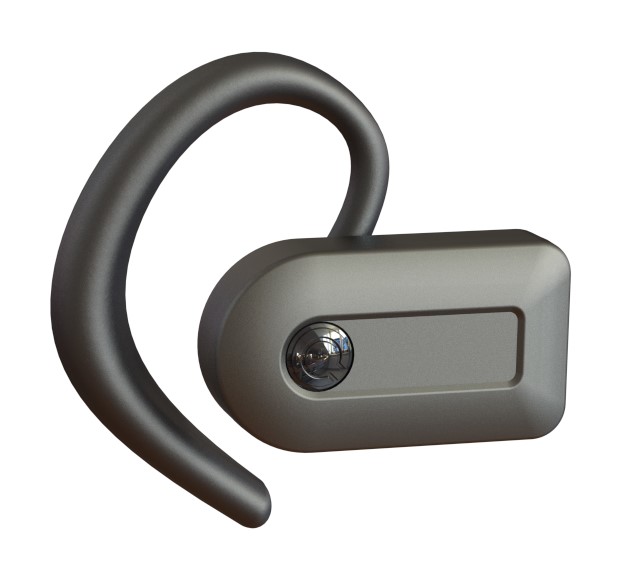
Technical Specifications
Quha Zono X mouse:
Dimensions: Length 44 mm / 1.7 inches, width 25 mm / 1.0 inches, thickness 13 mm / 0.5 inches, weight 12 g / 0.4 ounces
Bluetooth range: Up to 10 meters / 30 ft
Battery: LiPo (Lithium Polymer) 90 mAh. Active usage time is up to 18 hours depending on power saving/performance mode
Mouse refresh rate: 208 Hz
Magnetic charging dock:
Connection: USB-C
Charging time: 2 hours

What’s in the Box?
Quha Zono X mouse
Magnetic charging dock
USB-C charging cable
Ear clip for right ear and replaceable ear tips
Eyeglass clip for left or right side wearing
Quha Dwell 2 software license and quick guide
User manual and software download instructions
Warranty card
Product overview and features explained
Quha Zono X
Use your personal electronic device with your head movements precisely and easily. Click and control your computer with the included Quha Dwell 2 software.
Downloads
Quha Zono X - User Manual (English)
Language:
English
Quha Zono X - User Manual (Danish)
Language:
Danish
Quha Zono X - User Manual (Dutch)
Language:
Dutch
Quha Zono X - User Manual (Finnish)
Language:
Finnish
Quha Zono X - User Manual (French)
Language:
French
Quha Zono X - User Manual (German)
Language:
German
Quha Zono X - User Manual (Italian)
Language:
Italian
Quha Zono X - User Manual (Japanese)
Language:
Japanese
Quha Zono X - User Manual (Spanish)
Language:
Spanish
Quha Zono X – User Manual (Swedish)
Language:
Swedish
Quha Zono X Setup for Windows
Version:
v. 1.42
Supported Languages:
Danish, Dutch, English, Finnish, French, German, Italian, Japanese, Spanish, Swedish
Quha Zono X Setup for Android
Version:
v. 1.42
Supported Languages:
Danish, Dutch, English, Finnish, French, German, Italian, Japanese, Spanish, Swedish
Available also in Google Play

Declaration of Conformity - Quha Zono X
FAQ
Below you’ll find answers to the questions we get asked the most about Quha Zono X gyroscopic mouse.
Who are Quha Zono mice for?
How does the double click assistant work?
What options there are for dwell click?
Why is the cursor drifting when I am not moving the mouse?
Why are gestures not working?
How do I replace the battery?
Why has the mouse cursor suddenly disappeared/stopped?
Why are the mouse cursor movement jumpy/not smooth?
Disclaimer
Multi-device switching and left side wearing are available from March 2024 onwards.